For Android gamers & streamers · Windows 10/11
Your phone games, on your PC. Near-zero lag.
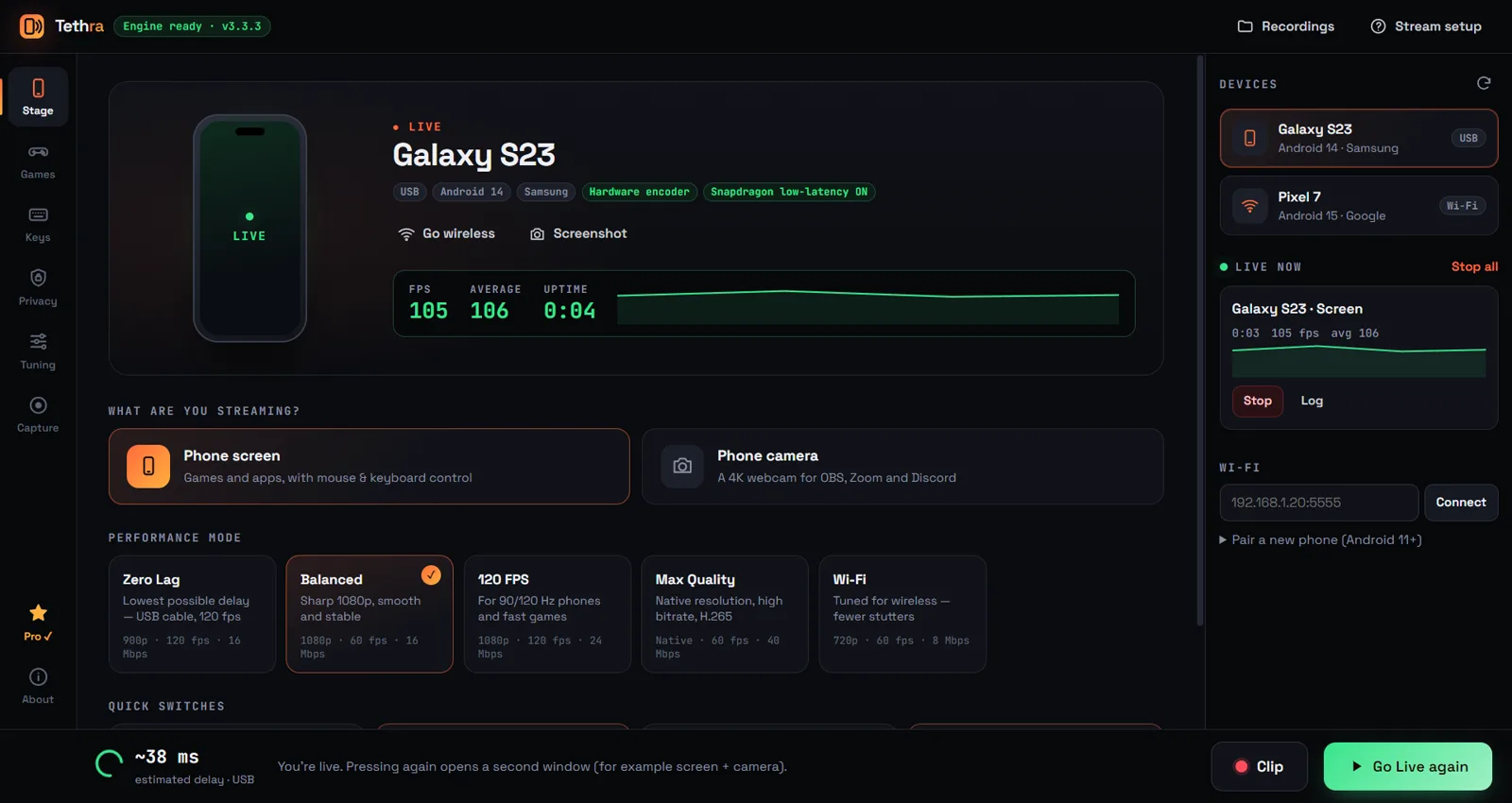
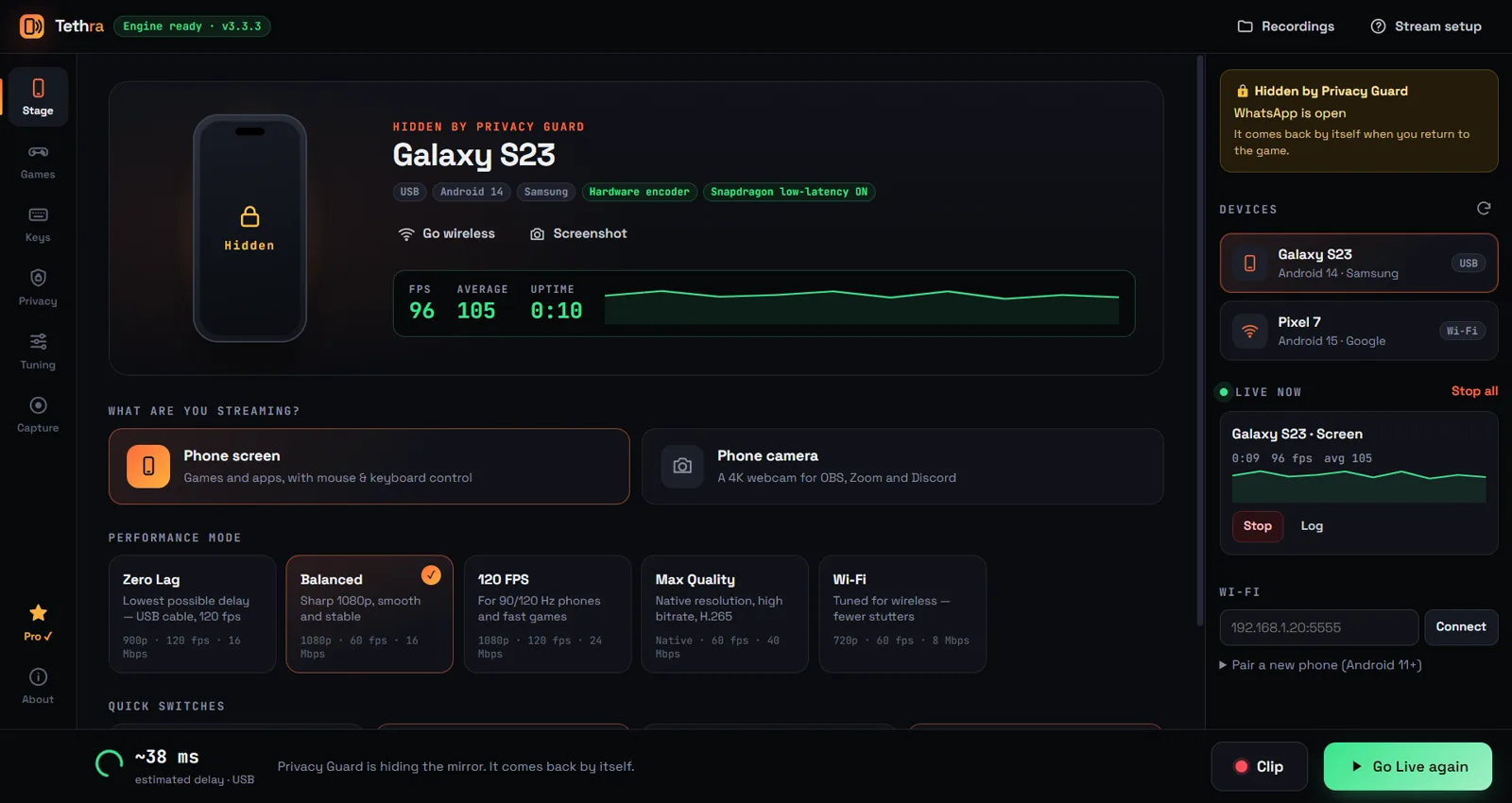
Tethra mirrors your Android phone to your PC at up to 120 FPS, with no watermark and no time limit, even on the free version. Play with keyboard & mouse, stream to YouTube, and never leak a message on stream.
Why Tethra
Streaming your phone shouldn't come with strings attached.
No logo stamped on your video. Free or Pro.
Unlimited recording, plus one-key clips with Ctrl+Alt+R.
Calls and private apps vanish from your stream in about 0.3 seconds.
Features
Everything a mobile gamer needs on PC.
Built for BGMI, Free Fire, Call of Duty Mobile, Honor of Kings, and anything else on your phone.
Zero Lag mode
Up to 120 FPS with your phone's hardware encoder, real-time priority and, on Snapdragon phones, the chip's low-latency mode. Over USB it feels like the game is running on your PC.
Keyboard & mouse
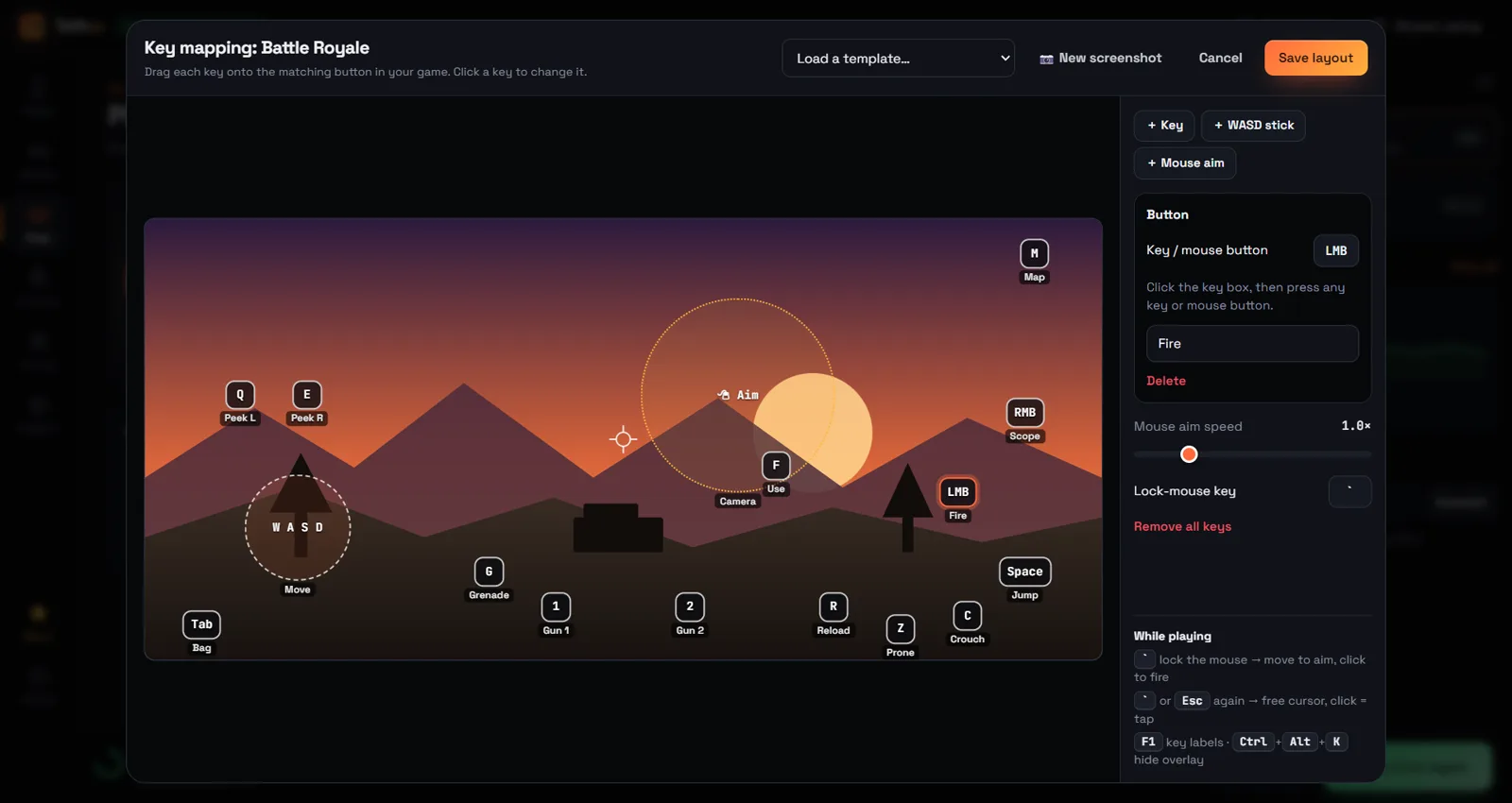
WASD to move, lock the mouse to aim, click to shoot. Drag keys onto your game in a visual editor. Nothing is installed on your phone.
Privacy Guard
Calls, WhatsApp, payment apps or your notification panel? The mirror hides in about 0.3 s and comes back by itself.
Game Library
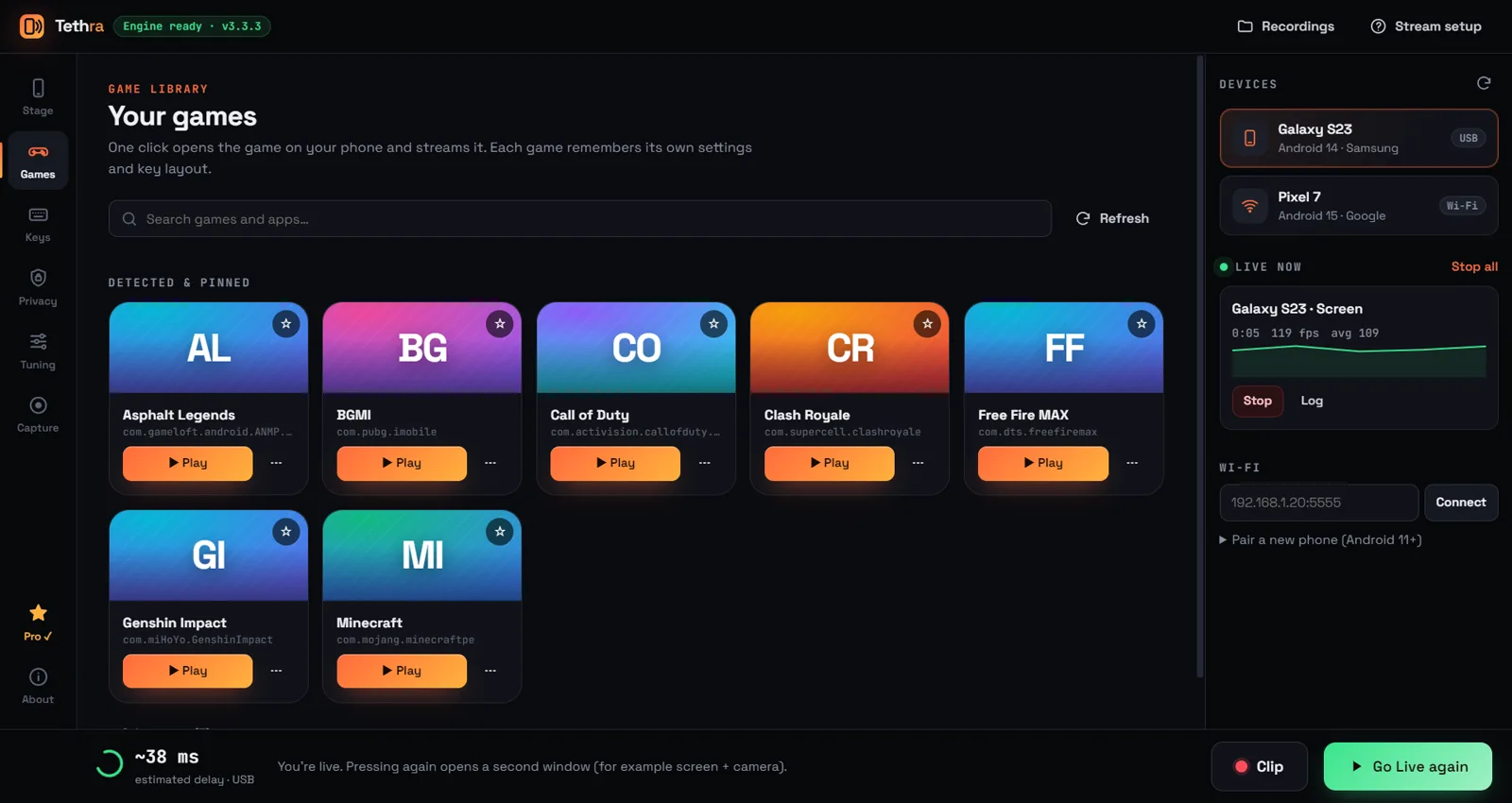
Your games appear automatically. One click opens the game on your phone and starts the stream, with each game's own settings.
Unlimited recording
MP4 or MKV, no watermark, no time limit. Grab clips without leaving the game.
Phone camera as webcam
Use your phone's camera in OBS, then in Zoom, Discord or Meet through OBS's Virtual Camera.
Auto-reconnect & Wi-Fi
Cable bumped mid-match? The mirror comes back by itself. Go wireless in one click.
Take a look
Designed for game night.
Watch
Tethra in under two minutes.
How it works
Live in three steps.
Download & install
Run the installer on your Windows 10 or 11 PC. No account needed.
Turn on USB debugging
On your phone: Settings → About phone → tap Build number 7 times, then Developer options → USB debugging.
Plug in & Go Live
Connect the cable, tap “Allow” on your phone, press Go Live. Add the window to OBS and you're streaming.
Samsung phone? Turn off Auto Blocker (Settings → Security and privacy) and its “Turn on automatically” switch, or Windows can't see the phone.
Pricing
Free forever. Pro for less than a coffee a year.
Free
forever
- Mirroring up to 60 FPS
- No watermark, no time limit
- Unlimited recording & clips
- Phone camera as webcam
- USB & Wi-Fi, hotkeys, auto-reconnect
Tethra Pro
about ₹499 a year
- Everything in Free, plus:
- Key mapping: keyboard & mouse
- Privacy Guard: calls & chats hidden live
- Game Library: one-click launch
- Zero Lag: 120 FPS + Snapdragon low-latency
- Use on 2 PCs · all updates
Pro renews yearly, and you can cancel any time. 14-day money-back guarantee. Payments, GST and taxes are handled by Dodo Payments, our merchant of record. After buying, paste your licence key into Tethra → Pro.
FAQ
Questions, answered.
Does it work with iPhone?
No. Tethra is for Android phones (Android 5 and newer; phone audio needs Android 11+, the phone-camera webcam needs Android 12+). The PC must run Windows 10 or 11.
Do I need to install anything on my phone?
No. Tethra connects through USB debugging and runs a small temporary helper only while you're using key mapping. Nothing is installed from an app store and nothing stays behind.
Windows says “Windows protected your PC”. Is it safe?
That's Windows SmartScreen, which shows for new apps that haven't built up download reputation yet. Click More info → Run anyway. Only download Tethra from this website.
Can I use keyboard & mouse in ranked matches?
Tethra sends normal touches to your phone, but every game has its own rules about keyboard & mouse. Check your game's rules before playing ranked.
How do I move Pro to a new PC?
Open Tethra → Pro → Deactivate on this PC, then activate the same key on your new PC. Each key works on 2 PCs at the same time.
Can I get a refund?
Yes. Email us within 14 days of a payment and we'll refund it in full, no questions asked. See the refund policy.
Does Tethra collect my data?
No. Your screen, games and recordings never leave your PC, and there are no ads or analytics. The only thing sent over the internet is your licence key, when you activate Pro. See the privacy policy.
Ready to go live?
Download Tethra free. Upgrade to Pro whenever you want key mapping and Privacy Guard.